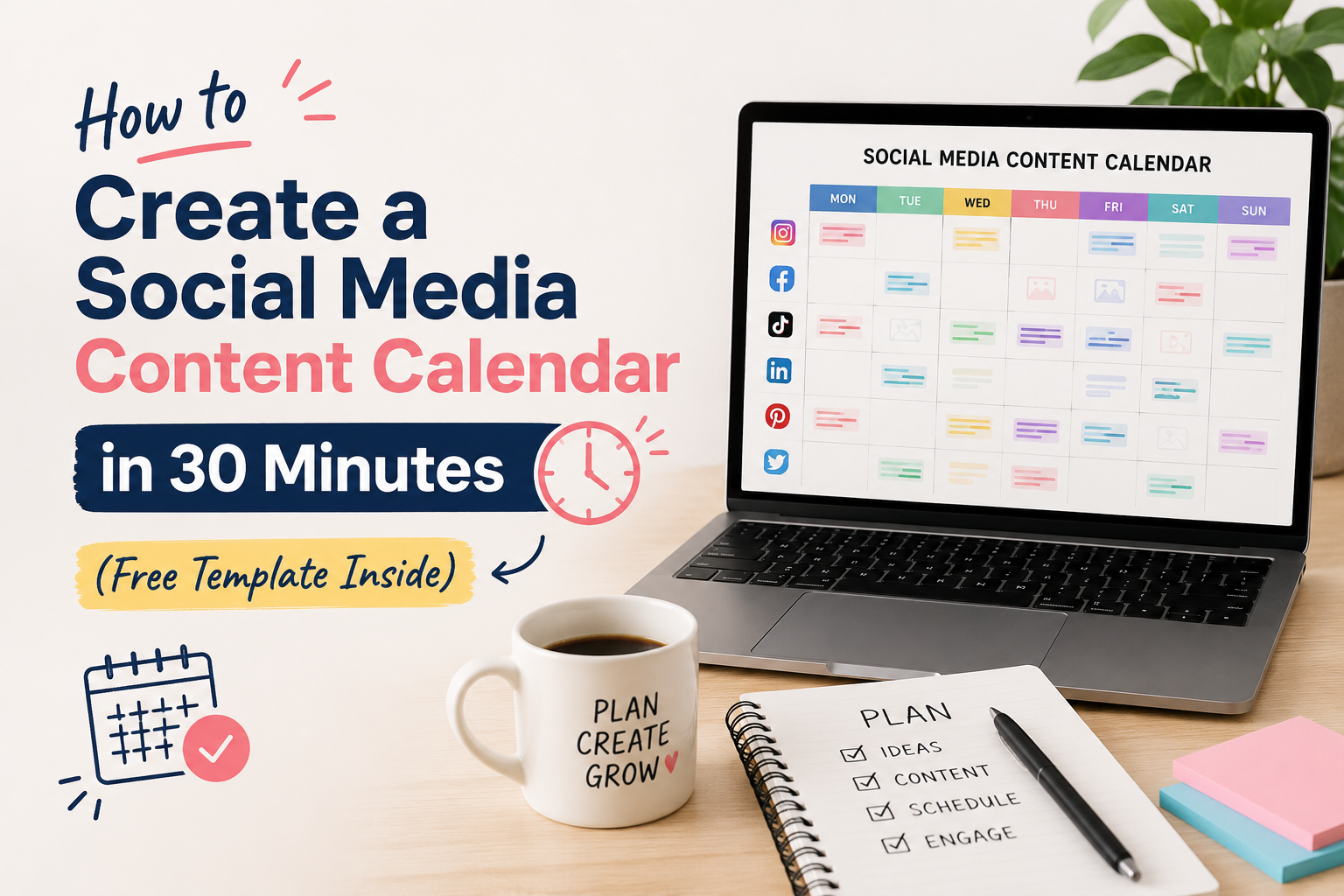
Quick Summary: A social media content calendar helps you plan, organize, and schedule posts in advance — saving you hours every week. In this guide, you’ll learn exactly how to build one in 30 minutes, plus get a free template you can use right away.
What Is a Social Media Content Calendar?
A social media content calendar is a planning document — usually a spreadsheet, table, or tool — that helps you organize and schedule your social media posts in advance across platforms like Instagram, Facebook, LinkedIn, and more.
Instead of scrambling every morning wondering “what do I post today?”, a content calendar gives you a clear roadmap for your content — weeks or even months ahead.
Think of it as your social media strategy on paper. It tells you:
- What to post (content type: image, video, reel, blog link)
- When to post (date and time)
- Where to post (Instagram, Facebook, LinkedIn, Twitter/X)
- Who it’s for (your target audience)
- Why you’re posting it (the goal: awareness, engagement, leads)
Whether you’re a startup in Ahmedabad, a growing e-commerce brand, or a freelancer, a content calendar is the single most impactful habit you can build for your social media marketing. At WebIn Marketing, we use content calendars for every client we manage — and it’s one of the biggest reasons our clients see consistent growth.
Why Every Business Needs a Social Media Content Calendar in 2026
Still posting randomly and hoping for results? Here’s why that approach no longer works — and why a content calendar is non-negotiable in 2026:
1. Consistency Beats Virality
The Instagram and Facebook algorithms in 2026 reward consistent posting far more than one-off viral moments. Brands that post 4–5 times per week outperform those who post irregularly — even if the irregular posts are higher quality.
2. You Save 5+ Hours Per Week
Without a calendar, you’re making daily decisions about what to post. With one, those decisions are made once a week (or month) in a single focused session. Most business owners save 5–10 hours per week by simply planning ahead.
3. Your Content Becomes More Strategic
When you plan in advance, you can align content with product launches, festivals, sales campaigns, and industry events. Random posts rarely do this.
4. Your Team Stays on the Same Page
If you work with a designer, a content writer, or a social media marketing agency like WebIn Marketing, a shared calendar eliminates confusion and missed deadlines.
5. You Can Measure and Improve
A calendar creates a record of what you posted and when — making it easy to identify which content types performed best and replicate them.
How to Create Your Social Media Content Calendar in 30 Minutes (Step-by-Step)
Here’s the exact process we use at WebIn Marketing when onboarding new clients. Follow these 6 steps and you’ll have a working calendar in under 30 minutes.
⏱ Step 1: Choose Your Platforms (3 Minutes)
Don’t try to be everywhere. Pick 2–3 platforms where your target audience actually spends time.
Quick guide for Indian businesses:
| Platform | Best For |
|---|---|
| B2C brands, products, lifestyle, fashion, food | |
| B2B, professional services, agencies, SaaS | |
| Local businesses, events, community groups | |
| YouTube | Long-form education, tutorials, vlogs |
| Twitter/X | News, tech, PR, thought leadership |
Action: Write down 2–3 platforms you’ll focus on. Don’t add more until you’ve mastered these.
⏱ Step 2: Decide Your Posting Frequency (3 Minutes)
How often should you post? Here’s a research-backed starting point:
- Instagram: 4–5 times per week (Reels + static posts)
- Facebook: 3–4 times per week
- LinkedIn: 3 times per week
- Twitter/X: 5–7 times per week
If you’re just starting out, start with 3 posts per week per platform and increase gradually. Consistency matters more than volume.
Action: Write your posting frequency next to each platform.
⏱ Step 3: Define Your Content Mix (5 Minutes)
This is where most businesses go wrong. They post only promotional content (“Buy our product!”) and wonder why engagement is low.
Use the 80/20 Rule — or better yet, the Content Pillars method:
Recommended Content Mix:
- 40% Educational — tips, how-tos, industry insights, infographics
- 30% Entertaining — memes (relevant to your niche), behind-the-scenes, team content
- 20% Inspirational — client success stories, quotes, case studies
- 10% Promotional — offers, services, CTAs, product highlights
Content Pillar Ideas for Service Businesses:
- Tips & Tutorials (e.g., “5 SEO Tips for Small Businesses”)
- Client Results / Case Studies
- Behind the Scenes / Team Culture
- Industry News & Trends
- Promotional / Service Highlights
- Engagement Posts (polls, questions, “this or that”)
Action: Write your 4–6 content pillars. These become the categories in your calendar.
⏱ Step 4: Plan Your Monthly Content Themes (5 Minutes)
Assign a theme or focus area to each week of the month. This makes batching content much easier.
Example for a Digital Marketing Agency (May 2026):
| Week | Theme | Special Dates |
|---|---|---|
| Week 1 | SEO Awareness | No major dates |
| Week 2 | Social Media Tips | Mother’s Day, 12 May |
| Week 3 | Client Spotlights | No major dates |
| Week 4 | Google Ads & Paid Marketing | No major dates |
Pro Tip: Check the Indian Holiday Calendar and plan content around festivals (Diwali, Holi, Eid, Christmas) and national days — these posts get significantly higher engagement.
Action: Open a calendar and assign a theme to each week of next month.
⏱ Step 5: Fill in Your Content Calendar (12 Minutes)
Now comes the actual filling-in. Open your template (download link below) and for each post, fill in:
| Field | What to Write |
|---|---|
| Date | e.g., Monday, May 26, 2026 |
| Platform | Instagram / LinkedIn / Facebook |
| Content Pillar | Educational / Promotional / etc. |
| Post Type | Reel / Carousel / Static Image / Story |
| Caption Idea | 1–2 sentence summary of what you’ll say |
| Visual Idea | Describe the image/video needed |
| CTA | What action you want the audience to take |
| Status | Idea / In Progress / Ready / Scheduled / Published |
Time-saving tip: Don’t write the full caption here. Just write a 1-line idea and create the full caption separately when you’re batching content.
Action: Fill in at least 2 weeks of posts. Even rough ideas count — you’ll refine them when creating the content.
⏱ Step 6: Schedule or Batch Your Content (2 Minutes Setup)
Once your calendar is planned, batch-create your content in one session (e.g., every Monday or every last Sunday of the month). Then use a scheduling tool to automate publishing.
Top scheduling tools we recommend:
- Buffer — Simple and affordable. Great for beginners.
- Hootsuite — Best for teams managing multiple accounts.
- Meta Business Suite — Free, works for Instagram and Facebook.
- Sprout Social — Advanced analytics + scheduling. Great for agencies.
At WebIn Marketing, we use a combination of tools depending on client size and budget. If you’re just starting out, Meta Business Suite (free) is all you need.
Free Social Media Content Calendar Template
Here’s a simple, ready-to-use content calendar template you can copy into Google Sheets or Excel right now.
Monthly Content Calendar Template
Tab 1: Monthly Overview
| Week | Theme | Platform Focus | Key Goal |
|---|---|---|---|
| Week 1 | [Your Theme] | Instagram + LinkedIn | Awareness |
| Week 2 | [Your Theme] | Instagram + Facebook | Engagement |
| Week 3 | [Your Theme] | All Platforms | Lead Generation |
| Week 4 | [Your Theme] | Instagram + LinkedIn | Brand Authority |
Tab 2: Weekly Post Planner
| Date | Day | Platform | Content Pillar | Post Type | Caption Idea | Visual Needed | CTA | Status |
|---|---|---|---|---|---|---|---|---|
| 26 May | Mon | Educational | Carousel | 5 SEO tips for SMBs | Branded slide design | Save this post | Ready | |
| 27 May | Tue | Client Story | Static Image | How we grew X’s traffic 180% | Before/after graphic | Book a free call | Scheduled | |
| 28 May | Wed | Promotional | Video | Introducing our new service | Short 30-sec clip | Learn More | Idea | |
| 29 May | Thu | Entertaining | Reel | Day in the life at WebIn HQ | Raw video clip | Follow for more | In Progress | |
| 30 May | Fri | Inspirational | Static Image | Friday motivation quote | Branded quote card | Share this | Ready |
Tab 3: Content Ideas Bank
Keep a running list of content ideas here whenever inspiration strikes — so you never stare at a blank page during your planning session.
| Idea | Content Pillar | Platform | Priority |
|---|---|---|---|
| “What is SEO?” beginner explainer | Educational | High | |
| Team lunch BTS reel | Entertaining | Medium | |
| Client testimonial post | Inspirational | High |
To get the full Google Sheets version of this template, reach out to us at WebIn Marketing and we’ll send it directly to your inbox — completely free.
Best Tools to Manage Your Social Media Content Calendar
| Tool | Best For | Price |
|---|---|---|
| Google Sheets | Free, collaborative, beginner-friendly | Free |
| Notion | Visual planning + team collaboration | Free / ₹400/month |
| Buffer | Scheduling + basic analytics | Free / $6/month |
| Hootsuite | Multi-account team management | From $99/month |
| Sprout Social | Enterprise-level analytics | From $249/month |
| HubSpot | All-in-one marketing calendar | Free template available |
| Meta Business Suite | Facebook + Instagram scheduling | Free |
Our recommendation for small businesses in India: Start with Google Sheets + Meta Business Suite. It’s free, powerful, and enough for most businesses posting 3–5 times per week.
Pro Tips to Get More From Your Content Calendar
These are the same tips we share with our social media marketing clients at WebIn Marketing.
1. Batch Content Creation Weekly Set aside 2–3 hours every Monday to create content for the full week. Batching is 3x more efficient than daily creation.
2. Use the “Repurpose First” Rule Before creating new content, ask: can I repurpose an existing blog post, video, or testimonial? One blog post can become 5 Instagram carousels, 3 LinkedIn posts, and 10 Twitter/X tips.
3. Always Plan 2 Weeks Ahead Never let your calendar go empty. Planning 2 weeks in advance gives your team enough time to create quality content without rushing.
4. Track Performance Monthly At the end of each month, review which posts got the most reach, engagement, and clicks. Double down on what’s working. According to HubSpot’s 2025 Social Media Report, brands that review performance monthly grow their followers 2x faster than those who don’t.
5. Leave Room for Trending Content Don’t fill every slot in your calendar. Leave 20% empty for reactive content — trending memes, breaking news, festival posts, and spontaneous moments.
6. Use a Color-Coding System Colour-code your calendar by content pillar (e.g., green = educational, orange = promotional, blue = entertaining). This gives you a visual check on your content mix instantly.
Common Mistakes to Avoid
Even experienced marketers make these errors. Watch out for:
Mistake 1: Planning Too Far Ahead Without Flexibility Planning 3 months in advance sounds great, but trends change fast. Plan 1 month in detail, 2 months in rough themes.
Mistake 2: Too Much Promotional Content If more than 20% of your posts are promotional, your audience will disengage. Balance is everything.
Mistake 3: Ignoring Platform-Specific Formats A LinkedIn post shouldn’t look the same as an Instagram caption. Customize your tone, length, and format for each platform.
Mistake 4: Not Having a CTA on Every Post Every post should tell your audience what to do next — even if it’s just “Save this post” or “Tag someone who needs to see this.”
Mistake 5: Creating the Calendar but Not Following It The calendar only works if you use it. Block time in your schedule for content creation and treat it like a client meeting.
Frequently Asked Questions (FAQ)
Q: How far in advance should I plan my social media content?
Q: What’s the best free tool for a social media content calendar?
Q: How many times should I post per week on Instagram?
Q: Do I need a separate calendar for each social media platform?
Q: Can I hire someone to manage my social media content calendar?
Q: What should I post on LinkedIn vs Instagram?
Final Thoughts
Creating a social media content calendar doesn’t have to be complicated. In just 30 minutes, you can go from posting randomly to having a clear, strategic plan that saves you time, improves consistency, and drives real business results.
Here’s a quick recap of the 6 steps:
- Choose your platforms (3 min)
- Decide your posting frequency (3 min)
- Define your content mix with pillars (5 min)
- Plan monthly themes (5 min)
- Fill in your calendar (12 min)
- Set up a scheduling tool (2 min)
The brands winning on social media in 2026 aren’t necessarily the most creative — they’re the most consistent. And consistency starts with a plan.
If you’d like expert help managing your social media or building a content strategy that actually converts, our team at WebIn Marketing is ready to help.
👉 Book your free 30-minute strategy call today — no obligation, just a clear roadmap for your growth.
About WebIn Marketing
WebIn Marketing is a full-service digital marketing agency based in Ahmedabad, Gujarat, helping businesses across India and globally grow their traffic, leads, and revenue through SEO, Social Media, Web Design, Shopify, and Google Ads.
📞 +91 88494 09265 | ✉️ contact@webinmarketing.com | Mon–Sat: 9am–7pm