Best for: teams that send practical community and event communications
Pricing: See current vendor plans; limits and pricing may change
Pros
- Practical campaign templates for small teams Useful for event and community communication Audience management for recurring updates Can support local promotion calendars Accessible starting point for nontechnical users Reporting connects sends to engagement
Cons
- Event features vary by plan Not a specialist commerce event platform Contact segmentation requires upkeep Multiple features can complicate plan selection Stale community lists hurt relevance Approvals and data imports need ownership
Verdict: Best considered by teams that send practical community and event communications; test the workflow and plan before subscribing.
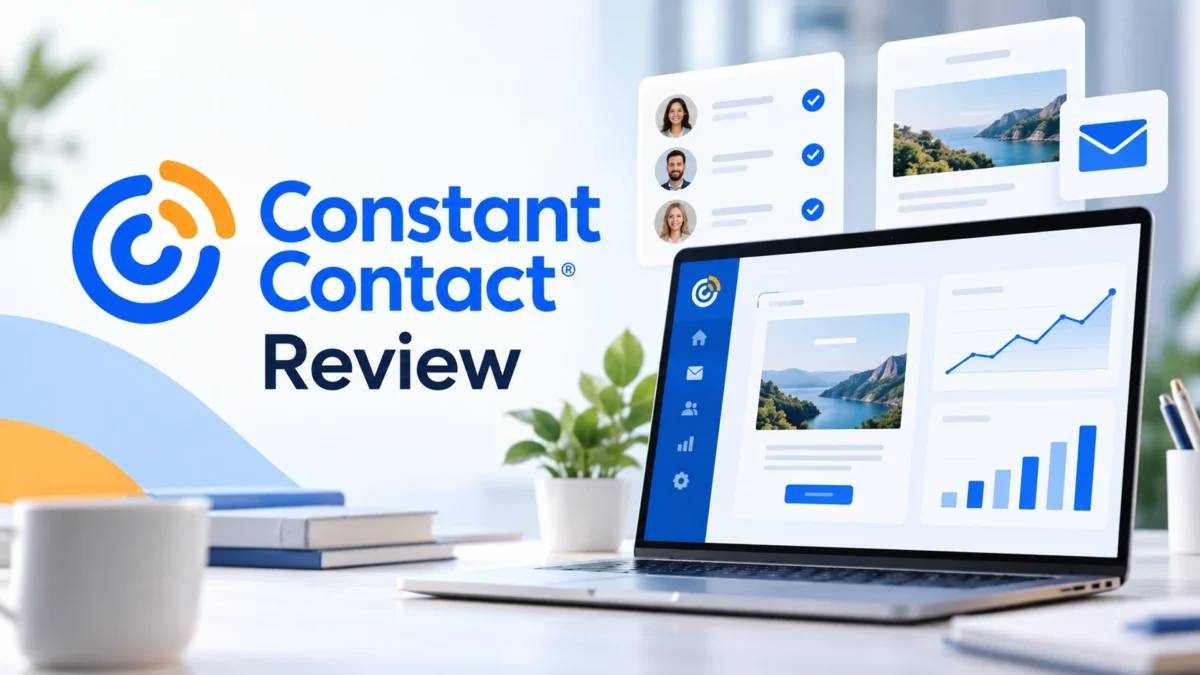
Visit Constant ContactConstant Contact review: email marketing software should be judged by the work it helps a team finish, not by the longest feature list. This review looks at local businesses and community outreach, with particular attention to local services, nonprofits, and event-oriented small teams. The example workflows below are editorial scenarios, not claims that we tested a live account or measured a vendor-specific deliverability rate. Product capabilities can change, so confirm plan details on the official site before buying.
The buying question is concrete: would Constant Contact make it easier to send a useful message to the right person at an appropriate moment? That requires a trustworthy contact record, a clear reason to write, an unsubscribe path, and a way to tell whether the message helped. Constant Contact offers email templates, list management, marketing tools, event-oriented capabilities, and reporting. Its most persuasive use case is giving nontechnical teams a practical way to communicate with their communities; its practical drawback is that features for many small-business use cases can make plan comparison and workflow selection confusing.
Who should consider Constant Contact?
Constant Contact belongs on the shortlist for local services, nonprofits, and event-oriented small teams. It is particularly relevant for teams that send practical community and event communications. The fit is less convincing for commerce brands looking primarily for detailed product-event orchestration. Those two statements matter more than a generic ranking because teams differ in their data, staff time, and actual communication goals.
Consider this example: A neighborhood arts center invites existing patrons to a class, follows up with registrants about materials, and sends a different reminder to members who have not booked a seat. The point is to create a coherent experience, not to copy the exact timing or incentive. Before adopting a platform, write down what the customer knows at each step, what you know with permission, and what you hope they do next. If the sequence feels irrelevant on paper, no editor or automation feature will make it relevant.
Constant Contact feature snapshot
| Area | What to evaluate |
|---|---|
| Core use | Local businesses and community outreach |
| Best suited to | local services, nonprofits, and event-oriented small teams |
| Main benefit | giving nontechnical teams a practical way to communicate with their communities |
| Main caution | features for many small-business use cases can make plan comparison and workflow selection confusing |
| Price check | Count the audience you actually contact, the number of people who need access, and whether the event or advanced automation features you plan to use require a different tier. Check renewal terms and support options. |
This table describes an editorial assessment, not a substitute for a contract or current feature matrix. Try the specific workflow you plan to run; check which tier supports it, what happens when the audience grows, and which channel fees are separate. A feature available somewhere on a vendor site may not be included in the account you choose.
Campaign creation and day-to-day usability
The first usability test for Constant Contact is ordinary production. Can someone build a readable campaign, preview the mobile version, check links, identify recipients, and schedule it without a specialist standing beside them? The campaign screen matters, but so do list hygiene, approvals, and recovery after a mistake. An attractive editor is only one part of a dependable publishing process.
For this product, a sensible launch looks like this: Keep the first campaign close to an existing activity: a reopening announcement, monthly schedule, fundraiser update, or member reminder. Divide recipients by the relationship they already have with the organization. Assign one person to check names, links, dates, and accessibility before scheduling. This is an editorial recommendation about implementation, not a promise that every feature is included in every plan. A team can learn more from one live campaign with clean data than from ten unfinished mockups.
Write a sample issue before making a purchasing decision. Include a short subject, a clear reason for sending, one primary action, meaningful alt text for informative images, and plain-language unsubscribe expectations. Preview the email on a phone and in an inbox with images disabled. If the CTA becomes confusing or the message reads as a wall of graphics, revise the copy before blaming the platform.
Audience data, segmentation, and consent
A donor, a ticket buyer, and a volunteer may all have the same email address but different expectations. Maintain a usable preference structure and suppress event reminders for registrants. Collect consent at the point of signup and avoid treating a purchased or scraped contact list as a community.
When evaluating Constant Contact, create two test people and trace how they enter the database. One should be a new subscriber with clear consent; the other should represent a previous customer with a different relationship to the brand. Ask whether duplicate records merge, whether the source of consent remains visible, and whether an opt-out applies to all the relevant messages. These questions are less glamorous than templates and more consequential.
Segmentation improves relevance only when the rules reflect information you actually have. Choose a few stable signals and audit them monthly. Avoid sensitive assumptions, stale engagement labels, or fields no one owns. An automation based on a wrong event can confidently send the wrong message at scale. A simple, accurate segment is usually more valuable than a complicated one that nobody can verify.
Automation and a realistic first workflow
Constant Contact is most interesting when it supports giving nontechnical teams a practical way to communicate with their communities. That does not mean you should automate every touchpoint. Choose a journey with an unambiguous entry event, a helpful message, and a measurable outcome. Define the exit conditions before writing the welcome email. A customer who buys, cancels, or changes preferences should not be dragged through a sequence designed for an earlier state.
The scenario above offers a good trial because it reveals whether the platform reflects the business you run. A neighborhood arts center invites existing patrons to a class, follows up with registrants about materials, and sends a different reminder to members who have not booked a seat. For the trial, write down the expected message for each action and deliberately trigger an exception: a purchase immediately after a reminder, a duplicate form submission, or an unsubscribe midway through the sequence. Correct handling of exceptions is a stronger signal than a visually impressive automation canvas.
Schedule a quarterly automation review. Check every active journey for outdated prices, expired offers, broken links, staffing changes, and a confusing overlap with regular campaigns. Give each journey an owner and a purpose. If a sequence has no documented goal or no one can say how to stop it, disable and redesign it before adding another branch.
Integrations and migration
Test website signup, event registration, and any donation or booking system on real sample records. Confirm that cancellations and opt-outs reach the email audience promptly; a manually exported spreadsheet is easy to forget to update.
Before moving a list into Constant Contact, export your current contacts with consent records, source tags, suppression status, and any properties the new workflow needs. Map old fields to new fields on a small sample first. Keep a copy of the original export, but do not reactivate people who have unsubscribed. Review any active forms, webhooks, and transactional messages because email marketing and order receipts often have different requirements.
Run one end-to-end test with a new address. Submit a form, confirm consent where applicable, receive the promised message, visit the destination, change a preference, and unsubscribe. Then inspect the contact record. This exercise quickly exposes delayed syncs, duplicate welcome sequences, and missing attribution fields. Do it before pointing your main website form to the new system.
Deliverability and responsible sending
No software vendor can guarantee that every email from Constant Contact reaches the primary inbox. Authentication, list permission, complaint rates, message relevance, and sending practices all matter. Follow the provider’s current instructions for domain authentication; keep an identifiable sender name and consistent sending domain. Do not upload rented or scraped addresses in the hope that software will repair consent.
Warm up a newly active program with people who expect to hear from you. Watch bounces, complaints, unsubscribes, and actual replies after each send. Clean abandoned signup sources and correct broken forms. If an experiment produces a sharp rise in complaints, pause it and inspect the audience and promise before changing subject lines. Deliverability is an ongoing operating practice rather than a badge attached to a plan.
Reporting: what success would look like
For an event email, bookings and attendance matter more than opens. For a nonprofit, consider repeat donations or volunteer signups. Review opt-outs by campaign type to learn whether audience expectations are being met.
Campaign dashboards often make the most visible number feel like the most important one. Opens are affected by privacy features and should not be treated as a direct count of attentive readers. Clicks show interest but can be inflated by scanners and do not prove a sale. Connect reporting to the goal you wrote before sending: a booking, completed order, donation, reply, or useful reader action.
Create a short weekly report for Constant Contact: who received the message, which audience source they came from, what the primary goal was, how many completed it, and whether complaints or unsubscribes rose. Write one sentence about what you will change next. This modest discipline helps a small team learn; an export with fifty unlabeled metrics does not.
Constant Contact pricing and total cost
Count the audience you actually contact, the number of people who need access, and whether the event or advanced automation features you plan to use require a different tier. Check renewal terms and support options.
Check the current Constant Contact pricing and terms on the official product website. Vendors may revise tiers, included capabilities, trial length, contact calculations, and message allowances. For an honest comparison, estimate your audience six and twelve months from now, choose the actual features you need, and include separately billed channels or extra seats. Do not assume a public headline price applies to your account.
The subscription is only part of cost. Budget time for migration, template creation, consent review, integrations, testing, and a recurring owner for campaign quality. A cheaper plan that requires regular manual export work may cost more in staff hours. Equally, an expensive suite is wasted when the team has no useful journeys to send. Compare the next twelve months of the real workflow, not two starting-price badges.
Pros and cons
Pros
- Practical campaign templates for small teams
- Useful for event and community communication
- Audience management for recurring updates
- Can support local promotion calendars
- Accessible starting point for nontechnical users
- Reporting connects sends to engagement
Cons
- Event features vary by plan
- Not a specialist commerce event platform
- Contact segmentation requires upkeep
- Multiple features can complicate plan selection
- Stale community lists hurt relevance
- Approvals and data imports need ownership
A beautifully formatted bulletin still needs a useful message and reliable data. If the primary requirement is complex product-triggered commerce flows, specialized retail platforms offer a more natural starting point. Verify the precise event and social features of the plan you consider.
This is a research-based editorial review of publicly described capabilities, not a hands-on performance certification. We have not assigned a numerical deliverability score or claimed an independently measured return on investment. Your audience, consent quality, configuration, and offer influence outcomes. Compare a short trial against a written checklist before migrating an established program.
Constant Contact alternatives worth considering
The most relevant alternatives are MailerLite for an editorial newsletter, GetResponse for funnel or webinar work, and ActiveCampaign for more elaborate customer journeys. Compare each on the same sample list and the same intended message. Ask whether your use case demands a specialist workflow or a dependable general publisher. Different strengths matter at different stages, and choosing the product with the most features can increase maintenance without helping recipients.
Make the comparison practical: import ten sample records, recreate one campaign, map one automation, inspect the resulting customer record, and calculate a twelve-month cost at your expected list size. Include the work involved in exiting the platform. This turns a vague software debate into a decision grounded in your team’s process.
Final verdict and next step
Constant Contact is worth a closer look for teams that send practical community and event communications. Its strongest case is giving nontechnical teams a practical way to communicate with their communities. The decision depends on whether your team can manage the trade-offs described above and whether the platform passes a practical workflow test. For commerce brands looking primarily for detailed product-event orchestration, a simpler tool may be a better starting point.
Related software reviews
For a useful comparison, read MailerLite review, GetResponse review, and Mailchimp review. Each review looks at a different workflow, so compare the features you will use regularly and the total cost for your team.
Explore the full reviews directory for more buying guides, then compare relevant alternatives against the same budget and requirements.
Is Constant Contact good for email marketing?
It can be a good fit for local services, nonprofits, and event-oriented small teams. Test your exact workflow and check current plan limits before choosing it.
Who should use Constant Contact?
It is most suited to teams that send practical community and event communications.
What is the main drawback of Constant Contact?
Features for many small-business use cases can make plan comparison and workflow selection confusing.
How much does Constant Contact cost?
Pricing and plan limits can change. Check the current official pricing for your subscriber count and required features.
What are alternatives to Constant Contact?
Mailerlite for an editorial newsletter, getresponse for funnel or webinar work, and activecampaign for more elaborate customer journeys.