That’s exactly what HubSpot’s free tier offers. Whether you’re selling sarees in Surat, running a digital agency in Bengaluru, or managing a coaching institute in Lucknow — HubSpot’s free tools can help you convert more website visitors into paying customers, without a single rupee of investment.
This guide walks you through every free tool worth knowing, with practical steps tailored to how Indian SMBs actually work.
Why Indian SMBs Are Moving to HubSpot (And Why It Costs Nothing to Try)
Most small business owners in India rely on WhatsApp groups, Excel sheets, or at best a basic Google Form to manage enquiries. The problem? Leads fall through the cracks. Follow-ups are missed. Your team forgets who said what.
HubSpot’s free CRM brings everything into one place — contacts, deals, emails, calls, and website activity — with zero setup cost. Think of it as replacing 6 scattered tools with one clean dashboard that works even on your mobile.
“We went from losing 40% of our enquiries to tracking every single lead. HubSpot’s free plan was genuinely all we needed for the first year.”
— Founder, EdTech startup, Pune (100 users, HubSpot Free)
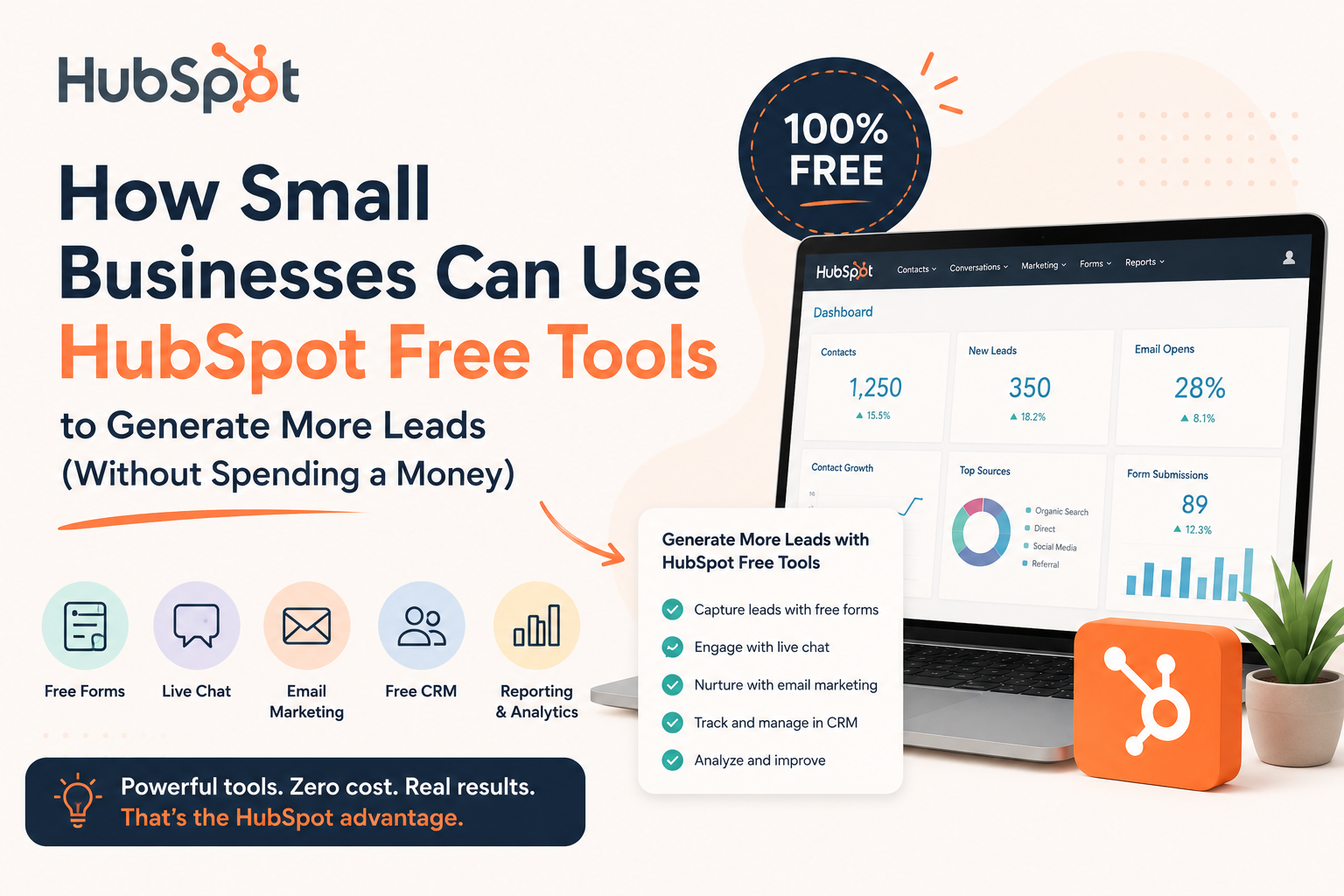
The free tier isn’t a “lite” teaser — it’s a fully functional platform used by thousands of businesses permanently. Here’s a breakdown of what you actually get:
Free CRM
Store unlimited contacts, track deals, and log every interaction automatically.
Always FreeEmail Marketing
Send up to 2,000 emails/month to your contact list with drag-and-drop templates.
2,000 emails/monthLive Chat & Chatbot
Add a chat widget to your website. Qualify leads 24/7 even while you sleep.
Always FreeForms
Embed lead capture forms on any page. Leads auto-enter your CRM instantly.
Always FreeMeeting Scheduler
Share a booking link. Clients pick a time — no more back-and-forth on WhatsApp.
1 link freeReporting Dashboard
See which sources bring your best leads. Make data-driven decisions.
Always FreeSet up your free HubSpot account in under 5 minutes. No credit card, no catch.
Set Up HubSpot Free in 30 Minutes — A Practical Walkthrough
Here’s exactly how to go from signup to your first lead capture, without needing a tech team or any paid plans.
Sign Up & Set Your Business Profile
Go to hubspot.com, click “Get started free”, and enter your business details. Select your industry — HubSpot will customise your dashboard accordingly. Indian users: choose your timezone (IST) and currency (INR) from the start.
Use your business email, not Gmail. HubSpot’s email tracking works best with a professional domain — and it adds credibility to every email you send.
Install the HubSpot Tracking Code on Your Website
HubSpot gives you a small JavaScript snippet that tracks who visits your site, what pages they view, and how long they stay. Paste it into the <head> of your website — or use the free WordPress plugin if you’re on WordPress. This single step turns anonymous visitors into trackable prospects.
Add a Lead Capture Form to Your Website
Go to Marketing → Forms → Create a free form. Keep it short — name, phone number, and one qualifying question (e.g., “What service are you interested in?”). Embed it on your homepage, services page, and any landing pages. Every submission drops straight into your CRM.
Indian users prefer WhatsApp over email. Add a field for “WhatsApp number” and follow up there. HubSpot stores it as a custom property — totally free.
Enable the Live Chat Widget
Go to Conversations → Chatflows → Live Chat. Customise the greeting (try: “Namaste! How can we help you today?”), set your team’s availability hours, and install on your website. Outside business hours? The free chatbot can collect their details and alert you. Response time drops — conversion rate goes up.
Create Your First Pipeline for Lead Tracking
In HubSpot CRM, go to Sales → Deals → Create a pipeline. Add stages relevant to your business: Enquiry → Quoted → Negotiating → Won / Lost. Drag your leads through the pipeline as they progress. This one habit alone will transform how your team manages follow-ups.
Import your existing contacts from Excel or WhatsApp via CSV. HubSpot handles up to 1,000 imports at once — all free.
Send Your First Email Campaign
Go to Marketing → Email → Create email. Choose a template, add your message, and schedule it. With 2,000 free sends per month, you can run a weekly newsletter, a promotional offer for Diwali, or a follow-up sequence for new enquiries — all from HubSpot’s free plan.
Lead Generation Strategies That Actually Work for Indian SMBs
Now that your setup is done, here are proven approaches tailored for how business works in India:
Strategy 1: The WhatsApp Follow-Up System
When a lead fills your HubSpot form, HubSpot notifies you instantly (mobile app or email). Your team’s job: respond on WhatsApp within 10 minutes. Research shows lead conversion is 9x higher when you respond within 5 minutes vs 30 minutes. HubSpot tracks the lead; WhatsApp closes them.
Strategy 2: Festival Lead Campaigns
Diwali, Holi, Eid, New Year — Indians buy during festivals. Use HubSpot’s free email tool to segment your contacts by past purchase interest and send targeted offers. “20% off for our Diwali Early Birds” sent to the right 400 people beats a generic blast to 4,000.
Drag, drop, and send — no designer needed. It’s completely free to try.
Strategy 3: Chatbot for After-Hours Lead Capture
Most Indian SMBs operate 9am–7pm. But website traffic peaks between 9pm–11pm when people browse after dinner. HubSpot’s free chatbot can greet them, answer common questions (“What are your charges?” / “Do you deliver to Chennai?”), and collect their contact details — even while you sleep.
Strategy 4: Meeting Links for Consultations
If you offer services — legal, financial, IT, coaching, beauty — share your HubSpot meeting link in your Instagram bio, WhatsApp status, or email signature. Prospects pick a slot without calling. You get a confirmed appointment with their details in your CRM. Zero back-and-forth.
Embed your meeting link as a button on your Google Business Profile. When someone finds you on Google Maps and clicks “Book an Appointment” — it goes straight to HubSpot. 100% free, 100% trackable.
HubSpot Free vs Starter vs Professional — What Do You Actually Need?
Honest truth: most Indian SMBs can run comfortably on the free plan for their first 1–2 years. Here’s a clear comparison so you know exactly when upgrading makes sense:
| Feature | Free (₹0) | Starter (~₹1,499/mo) | Professional (~₹7,499/mo) |
|---|---|---|---|
| CRM Contacts | Unlimited | Unlimited | Unlimited |
| Email Sends/Month | 2,000 | 5× contacts | 10× contacts |
| Lead Capture Forms | ✓ | ✓ | ✓ |
| Live Chat / Chatbot | ✓ | ✓ | ✓ |
| Email Automation | ✗ | ✓ | ✓ |
| Remove HubSpot Branding | ✗ | ✓ | ✓ |
| Marketing Automation | ✗ | Basic | Advanced |
| A/B Testing | ✗ | ✗ | ✓ |
Our recommendation: Start free. When you’re sending emails manually to 500+ contacts every week or you need automated follow-up sequences, that’s your signal to upgrade to Starter. The ROI becomes obvious fast.
Your 7-Day HubSpot Launch Checklist
Don’t get overwhelmed. Here’s a simple week-by-week launch plan to get you generating leads within 7 days:
- Day 1 — Sign up for HubSpot Free & complete your business profile
- Day 2 — Install the tracking code on your website (or WordPress plugin)
- Day 3 — Create and embed your first lead capture form
- Day 4 — Enable and customise the live chat widget
- Day 5 — Import existing contacts from Excel / phone / WhatsApp
- Day 6 — Set up your sales pipeline with your deal stages
- Day 7 — Send your first email campaign to your contact list
Set up HubSpot Free today and see your first tracked lead within the week.
Start Generating More Leads Today — For Free
Thousands of Indian businesses are already using HubSpot’s free tools to capture, track, and close more deals. Your competitors might already be on it.
Try HubSpot Free →