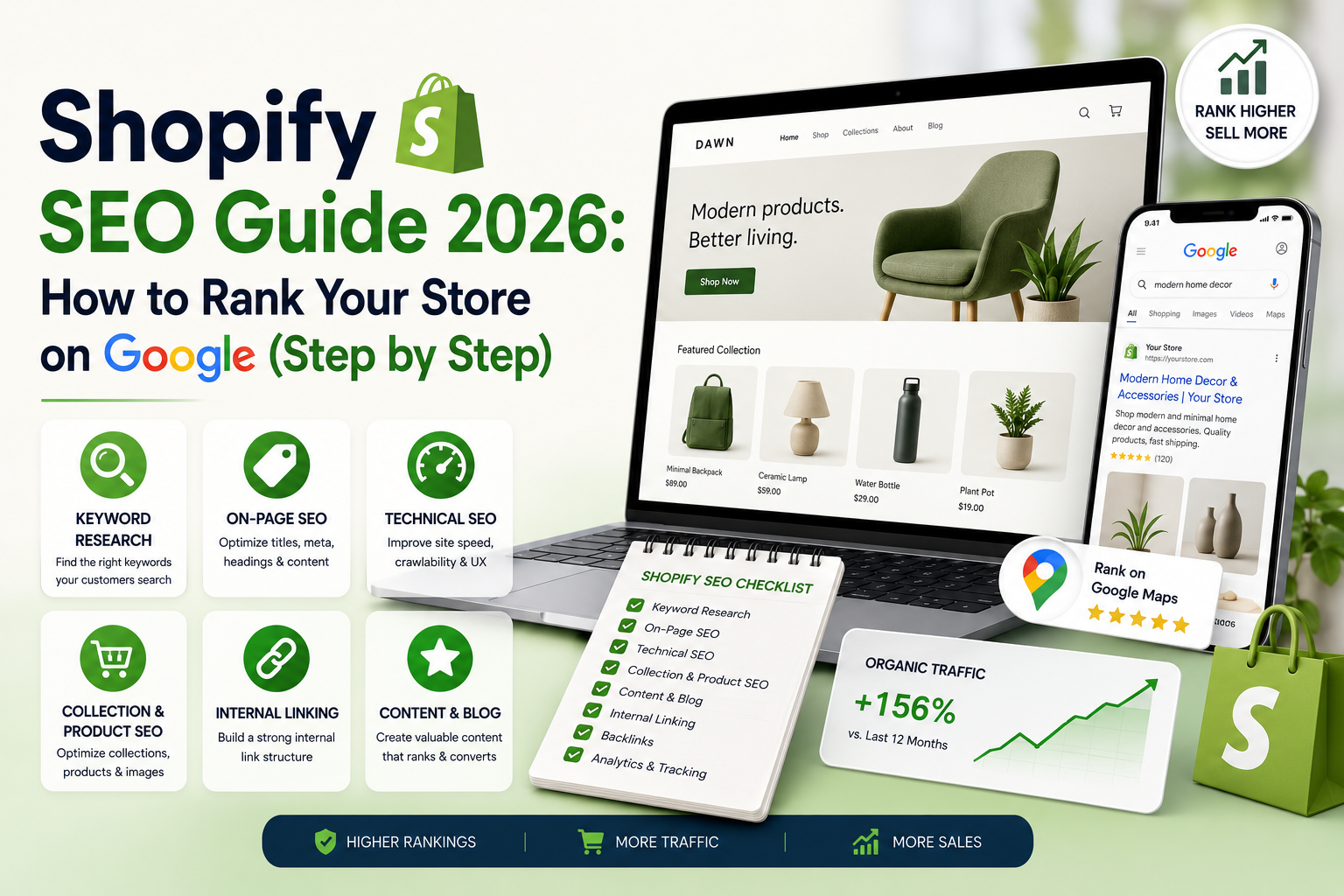
To rank a Shopify store on Google in 2026, target buyer-intent keywords for collections and long-tail keywords for products, write unique product descriptions with optimized titles and meta descriptions, fix Shopify’s duplicate-content URL issues, compress images and improve Core Web Vitals, add Product and Review schema, build a blog that supports your collections, and earn backlinks through digital PR and supplier listings. Most stores see meaningful organic growth within 3–6 months of consistent work.
Introduction: Why Most Shopify Stores Get No Google Traffic
Shopify powers millions of online stores, yet the majority receive almost no organic search traffic. They depend entirely on paid ads — and the moment ad spend stops, revenue stops. Meanwhile, a minority of stores in every niche quietly collect free, compounding traffic from Google month after month, often outranking much larger brands.
The difference is not budget. It is that Shopify SEO has specific, learnable mechanics — and a handful of platform quirks that most store owners never fix. In this complete guide, Webin Marketing walks through the exact process we use to rank client stores: keyword strategy, page-by-page optimization, Shopify’s technical pitfalls, content strategy, and link building. Whether you sell fashion in Mumbai or supplements in Miami, the playbook is the same.
New to SEO as a discipline? Skim our foundational explainer on what SEO is in digital marketing first — this guide assumes you know the basics.
How Shopify SEO Is Different from Regular SEO
Ecommerce SEO carries all the usual ranking factors plus platform-specific realities:
- Templated pages at scale. Hundreds of products share one template, so small template improvements multiply across the whole catalogue.
- Duplicate content by design. Shopify generates multiple URLs for the same product (collection-path URLs vs canonical /products/ URLs), plus tag and pagination variants.
- Thin manufacturer descriptions. Stores that paste supplier descriptions compete with hundreds of identical pages across the web.
- Buyer-intent keyword layers. Collections target commercial “category” keywords, products target specific long-tail buying queries, and blogs capture informational demand.
- Structured data is revenue-critical. Price, availability, and review stars in search results directly change click-through rates.
Understanding this layered model — homepage, collections, products, blog — is the core mental shift. Each layer has its own keyword strategy and optimization checklist below.
Step 1: Shopify Keyword Research That Maps to Money
Start with a simple spreadsheet of every collection and best-selling product. For each, identify:
| Page Type | Keyword Intent | Example | Where to Target |
| Homepage | Brand + broadest category | “organic skincare India” | Title, H1, intro copy |
| Collection | Commercial category terms | “men’s leather wallets” | Title, H1, collection description |
| Product | Specific long-tail buying terms | “slim RFID leather wallet brown” | Title, H1, description, alt text |
| Blog post | Informational/comparison | “how to clean a leather wallet” | Full article targeting the question |
Use Google Keyword Planner, Google autocomplete, “People Also Ask,” and competitor analysis to fill the sheet — all free methods we detail in how to do SEO without paid tools. Prioritise keywords with clear purchase intent over big vanity volumes: “buy handmade ceramic mug online” converts; “mug” never will.
Pro tip: Search each target keyword and study what ranks. If the results are all collection pages, target it with a collection — not a product. Matching page type to search intent is half of ecommerce SEO.
Step 2: Optimize Collection Pages (Your Biggest Wins)
Collection pages usually represent the highest-value keywords a store can realistically win. For every collection:
- Write a unique title tag under 60 characters: “Men’s Leather Wallets – Handcrafted | YourBrand”.
- Write a compelling meta description under 155 characters with a benefit and call to action.
- Add 150–300 words of genuinely useful collection description — buying advice, materials, sizing — placed below or above the product grid depending on your theme.
- Use one H1 containing the primary keyword.
- Interlink related collections (“Also explore: card holders, belts”).
- Add FAQ content addressing the category’s common questions.
Avoid stuffing: write for a shopper deciding what to buy, and the keywords follow naturally.
Step 3: Product Page SEO That Converts and Ranks
Every product page needs:
- Unique descriptions (150–300+ words). Never paste manufacturer text. Cover benefits, materials, dimensions, use cases, and care — the details people search for.
- Keyword-led product titles. “Slim RFID-Blocking Leather Wallet – Brown” beats “The Wanderer”.
- Optimized images. Descriptive filenames before upload, compressed file sizes, and alt text that describes the product naturally (this also powers Google Images traffic).
- Customer reviews on-page. Fresh, keyword-rich user content that updates the page continuously.
- Clear answers to objections. Shipping, returns, sizing — in an FAQ block on the product page.
- Internal links. From blog posts and related products into your money pages.
Step 4: Fix Shopify’s Technical SEO Issues
This is where most stores silently lose rankings. Work through this checklist:
| Issue | Why It Hurts | Fix |
| Duplicate collection-path product URLs | Splits signals across /collections/x/products/y and /products/y | Edit theme code so product links always use the canonical /products/ URL |
| Slow themes and app bloat | Core Web Vitals affect rankings and conversions | Remove unused apps, compress images to WebP, choose a fast theme |
| Missing structured data | No price/review stars in results | Ensure Product, Offer, and Review schema output correctly; validate with Rich Results Test |
| Unoptimized tag pages | Hundreds of thin indexable pages | Let valuable tags live, consider noindexing the rest |
| Broken links after product removal | Wasted authority, bad UX | Set up 301 redirects in Shopify’s URL Redirects tool |
| Default robots and sitemap untouched | Crawl waste on filtered URLs | Review robots.txt.liquid (now editable) and submit sitemap in Search Console |
Run a monthly crawl with a free tool, watch Core Web Vitals in Google Search Console, and treat site speed as a ranking *and* revenue project — Google’s research has long shown that slower load times sharply increase bounce probability on mobile.
Step 5: Schema Markup for Rich Results
Rich results (star ratings, price, stock status) can lift click-through rates dramatically without any ranking change. Most modern Shopify themes output basic Product schema, but verify:
- Product + Offer schema with price, currency, and availability
- AggregateRating / Review schema from your reviews app
- BreadcrumbList for clean SERP paths
- Organization schema with logo and social profiles
- FAQPage schema on collections and key products
Validate every template type with Google’s Rich Results Test, and re-test after any theme or app change. Shopify’s own SEO documentation covers where these snippets live in your theme.
Step 6: Content Marketing — The Blog That Sells
A Shopify blog exists to do three jobs: capture informational searches, build topical authority around your categories, and funnel internal links into collections and products. The highest-converting formats:
- Buying guides: “How to Choose a Standing Desk (2026 Buyer’s Guide)” — links to your relevant collection.
- Comparisons: “Bamboo vs Plastic Toothbrushes: Which Is Better?” — captures consideration-stage shoppers.
- How-to and care content: “How to Break In Leather Boots Without Pain” — earns links and Image/AI citations.
- Best-of lists: “10 Best Gifts for Coffee Lovers Under ₹2,000” — perfect for AI Overviews and seasonal spikes.
Publish consistently (even twice a month compounds), interlink every post to at least one collection, and refresh top posts yearly. This content layer is also your ticket into AI-generated answers — the same structured, question-led approach we recommend across our digital marketing trend analysis for 2026.
Step 7: Link Building for Ecommerce Stores
Backlinks remain a major ranking factor, and stores have unique opportunities:
- Supplier and manufacturer pages. If you stock a brand, request inclusion in their “where to buy” list — easy, relevant links.
- Digital PR with data or products. Journalists cover interesting products and original data; pitch gift guides before festive seasons.
- Guest contributions on niche blogs your customers read.
- Influencer and creator reviews that link to product pages.
- Local links if you also have a physical presence — chamber listings, local press, event sponsorships.
- Unlinked brand mentions. Find places that mention you without linking and politely request the link.
Avoid buying cheap link packages — the risk-to-reward in 2026 is terrible, and authority built through real mentions also feeds AI assistant recommendations.
Step 8: Measure What Matters
Track monthly in Search Console and GA4:
| Metric | Tool | What Good Looks Like |
| Organic clicks & impressions | Search Console | Steady upward trend, rising CTR |
| Keyword coverage | Search Console queries | More queries per page over time |
| Organic revenue & conversion rate | GA4 ecommerce reports | Organic revenue share growing |
| Core Web Vitals | Search Console CWV report | All URLs “Good” on mobile |
| Indexed pages | Search Console pages report | Money pages indexed, junk excluded |
| Backlink growth | Free backlink checkers | New referring domains monthly |
Attribute realistically: SEO is a 3–6 month compounding channel. Judge it on trend lines and organic revenue, not week-to-week ranks.
Your 6-Month Shopify SEO Roadmap
Here is how to sequence everything above into a realistic plan you can run alongside daily store operations:
| Month | Priority | Key Deliverables |
| 1 | Foundation | Keyword map for all collections and top 20 products; Search Console set up; baseline traffic and revenue recorded |
| 2 | Money pages | All collection pages rewritten with unique titles, descriptions, and FAQ; duplicate URL fix deployed |
| 3 | Products + technical | Top 30 products rewritten; image compression; redirects audit; schema validated on every template |
| 4 | Content engine | Blog launched with two buying guides and one comparison post, each interlinked to collections |
| 5 | Authority | Supplier link requests sent; two guest posts or PR placements; unlinked mentions reclaimed |
| 6 | Review and scale | Full metric review against month-1 baseline; double down on what moved; extend product rewrites down the catalogue |
The biggest predictor of success we see across client stores is not budget or niche — it is whether the owner treats this as a scheduled operating rhythm or a someday project. Two focused hours per week, executed in this order, beats sporadic ten-hour weekends every time.
A second pattern worth naming: stores that pair SEO with email capture compound fastest. Organic visitors who do not buy today can still join your list, and every future campaign to that list costs nothing — turning one ranking into recurring revenue. If your email program is not set up yet, prioritise it alongside month-4 content work.
Bonus: Preparing Your Store for AI Shopping Assistants
A final note on where ecommerce search is heading. Shoppers increasingly ask AI assistants questions like “best budget standing desk that ships to India” — and the assistants answer by drawing on product schema, review sentiment, comparison content, and authoritative best-of lists. Every step in this guide feeds that pipeline: clean Product and Review schema makes your catalogue machine-readable, unique descriptions give models accurate passages to quote, and your buying-guide content becomes the raw material for AI recommendations. Stores optimizing only for the ten blue links are solving last year’s problem; this guide prepares you for both.
Common Shopify SEO Mistakes to Avoid
- Using duplicate manufacturer descriptions across hundreds of products
- Ignoring collection page copy entirely
- Installing 20+ apps and wondering why the store is slow
- Deleting old product URLs without redirects
- Targeting the same keyword with multiple pages (cannibalisation)
- Treating the blog as a press-release archive instead of a search asset
- Expecting results in two weeks and quitting in week three
Frequently Asked Questions About Shopify SEO
Is Shopify good for SEO?
How long does Shopify SEO take?
Do I need paid SEO apps for Shopify?
Should every product have a unique description?
What is the single biggest Shopify SEO win?
Does blogging really help an online store?
Conclusion: Build Organic Revenue That Compounds
Paid ads rent attention; SEO owns it. A Shopify store that systematically optimizes collections and products, fixes its technical foundations, publishes helpful content, and earns real links builds a traffic asset that grows while you sleep — and that no CPM increase can take away.
Work through this guide one step per week and you will be ahead of 90% of stores in your niche within a quarter. And if you would rather focus on running your business while specialists run your rankings, Webin Marketing’s dedicated Shopify SEO services handle everything in this guide end-to-end — audits, fixes, content, and links — with transparent monthly reporting. Book a free strategy call and get a complimentary audit of your store.
Affiliate Disclosure
Some links in this article may be affiliate links. If you purchase a tool, app, or service through these links, Webin Marketing may earn a small commission at no extra cost to you. We only recommend products we have tested or genuinely believe add value to our readers.
Disclaimer
This article is for informational and educational purposes only. Search algorithms, Shopify features, and third-party policies change frequently, and no agency can guarantee specific rankings, traffic, or revenue outcomes. Results vary based on niche, competition, and implementation quality. Always test changes on your own store and consult current official documentation before making significant modifications.